
A humidifier making noise usually comes down to one of four things: trapped air or low water causing gurgling, mineral buildup restricting flow and causing humming or popping, a dirty or unbalanced fan causing rattling or buzzing, or the unit simply sitting unevenly or loosely on its base. Almost all of these are fixable in a few minutes without any tools.
Gurgling and Bubbling Sounds
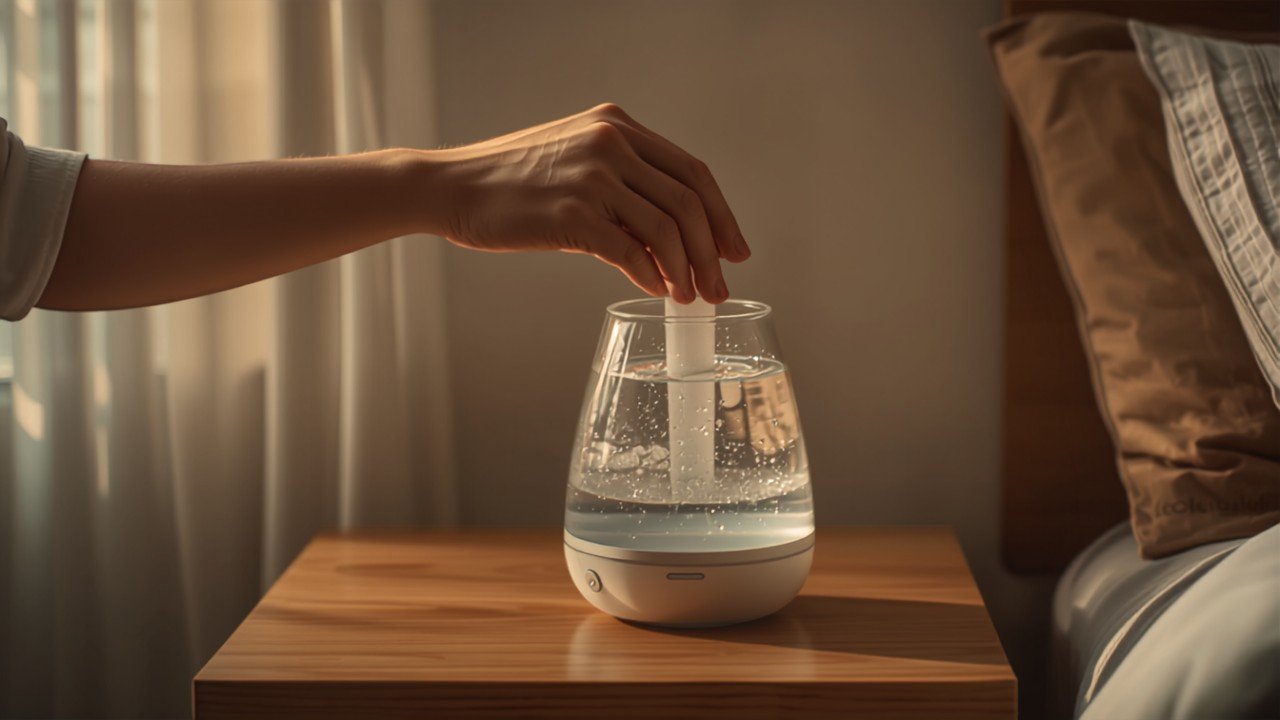
Gurgling right after you fill the tank is normal and comes from trapped air escaping as water works its way into the base — this should settle within a minute or two. If the gurgling continues well after filling, or happens throughout use, the water level in the tank is likely too low, causing the unit to pull in air along with water and creating uneven, noisy flow. The CPSC’s care guide for room humidifiers covers this and other routine maintenance basics. Refill to the manufacturer’s recommended fill line and make sure the tank is seated firmly and squarely on the base; a tank that’s even slightly off-center often produces persistent gurgling or sloshing.
Humming, Buzzing, and Crackling Sounds
A low hum that stays constant regardless of water level is often just the fan or ultrasonic motor operating normally, especially at higher mist settings. But humming that gets louder over time, or crackling and popping sounds, usually points to mineral buildup on internal components — hard water deposits restrict water flow and vibration surfaces, forcing the motor to work harder than it should. Using distilled water instead of tap water reduces this mineral buildup, per the EPA’s guidance on humidifier care — the same deposits are also responsible for white dust around the unit. A full vinegar clean of the tank, base, and mist outlet with a regular cleaning schedule resolves this in the majority of cases. If a buzzing sound changes pitch as you adjust the mist dial, the motor is the source, which is a normal mechanical response rather than a malfunction.
Rattling and Vibrating Sounds
- Loose parts: check that the tank, cap, and any removable covers are snapped on fully — a slightly loose cap is one of the most common rattling causes.
- Unbalanced fan blade: dust, pet hair, or mineral residue on the fan blade throws it off balance and creates a rattling or buzzing vibration.
- Uneven surface: humidifiers need a firm, level surface; placing one on a soft or uneven surface transmits vibration and amplifies rattling.
- Worn internal components: in older units, a rattle that persists after cleaning and reseating everything often indicates a failing motor mount or bearing.
Cleaning the Fan and Mist Outlet
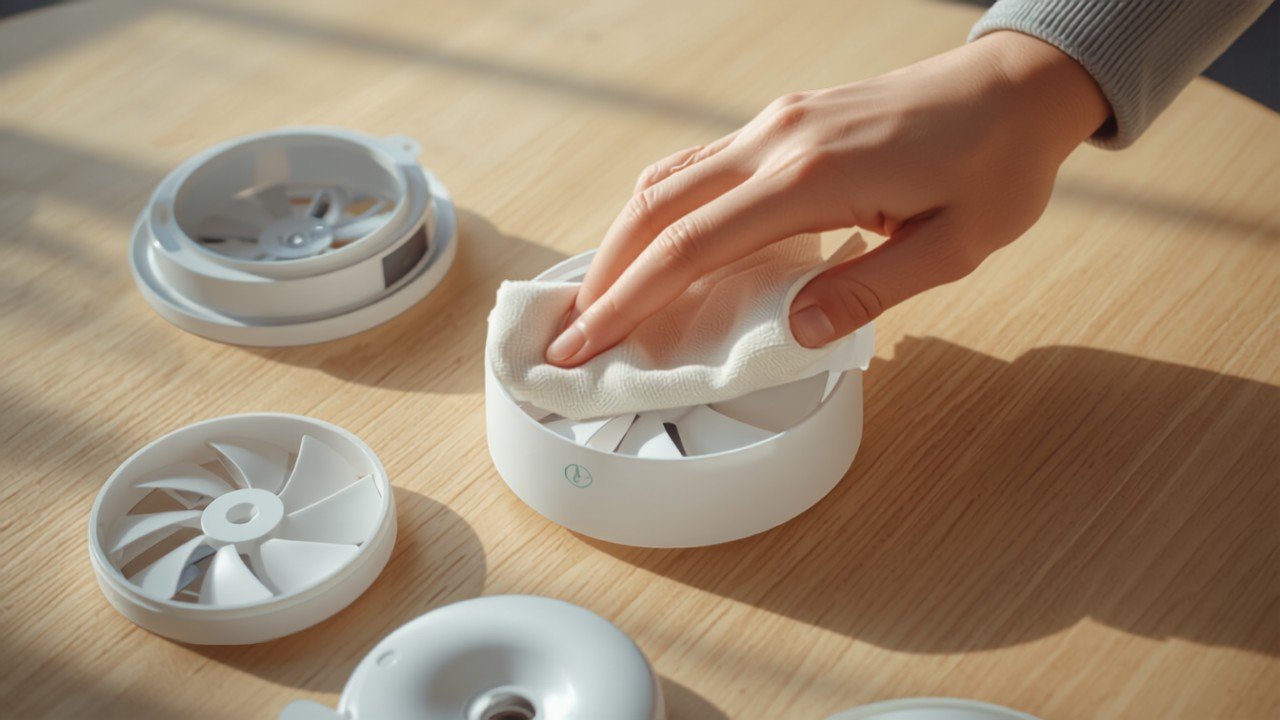
If cleaning the tank doesn’t resolve a persistent hum or rattle, the fan itself may need attention. Unplug the unit completely, remove the outer housing according to the manual, and check the fan blade for visible dust, hair, or mineral crust. A soft brush or a dry cloth is usually enough to clear light buildup; for mineral crust specifically, a cotton swab dipped in vinegar works well on the blade and housing without risking electrical components. Always let everything dry completely before reassembling and plugging back in. Sticking to a regular cleaning schedule — in line with Mayo Clinic’s humidifier care guidance — prevents most of this buildup from forming in the first place.
Placement Matters More Than People Expect
Beyond the unit itself, where you put a humidifier affects how much noise it produces and how that noise carries. A hard, level, and slightly elevated surface (rather than directly on carpet or an uneven shelf) minimizes vibration transfer, and keeping the unit a few inches from walls prevents sound from reflecting back into the room. This also ties into getting good, even humidity readings in the first place — getting accurate humidity readings depends on similar placement principles — see our humidity levels by room guide for where monitoring matters most.
Noise Differences by Humidifier Type
Ultrasonic humidifiers are generally the quietest option when working properly, since they use high-frequency vibration rather than a spinning fan to create mist, but that same ultrasonic plate is exactly what suffers most from mineral buildup and becomes a noise source once scaled up. Evaporative humidifiers rely on a fan pulling air through a wet wick, which means they have a baseline fan hum that ultrasonic units don’t, but that fan noise tends to stay more consistent over the unit’s life rather than escalating the way ultrasonic buzzing does with mineral buildup. Steam vaporizers boil water and are usually the loudest of the three at idle because of the heating element and small bubbling sounds, but they rarely develop the crackling or rattling noises that come from mineral scale or unbalanced fan blades, since there’s no fan or plate to affect.
A Simple Noise Diagnostic Checklist
- Unplug the unit, empty the tank completely, and listen for any noise when it’s off — persistent noise with no power means something is loose or resonating mechanically.
- Refill the tank fully to the recommended line and reseat it firmly; run the unit and note whether the sound changes.
- Move the humidifier to a hard, level surface if it’s currently on carpet, a rug, or an uneven shelf.
- Inspect the fan blade and mist outlet visually for dust, hair, or visible mineral crust.
- Do a full vinegar soak of the tank and base per the manufacturer’s cleaning instructions, then retest.
Sudden New Noise vs. Gradual Noise
It’s worth distinguishing between a noise that appeared suddenly and one that’s been gradually getting worse over weeks or months, since they point to different causes. A sudden new noise, especially rattling or a grinding sound, usually means something has physically shifted or come loose — a dropped unit, a cracked fan blade, or debris that fell into the housing. Gradual noise that slowly gets louder over time is the classic signature of mineral buildup or a slowly failing motor bearing, both of which develop incrementally as deposits accumulate or components wear down through normal use. If you can pinpoint when the noise started and whether it was sudden or gradual, that alone often narrows down whether you’re looking at a quick clean, a loose part, or a component nearing the end of its life.
- Sudden noise after moving or dropping the unit: check for a cracked housing, dislodged fan blade, or something loose inside before running it again.
- Sudden noise with no obvious cause: check first for a foreign object (dust cap, packaging material) that may have fallen into the housing during setup or a recent move.
- Gradual noise increase over weeks: almost always mineral buildup — schedule an immediate deep clean rather than waiting for the next regular cleaning.
- Gradual noise increase despite regular cleaning: more likely a wearing motor bearing or aging ultrasonic transducer, which cleaning won’t resolve.
When Cleaning Doesn’t Fix It
If you’ve thoroughly cleaned the tank, base, and fan, reseated every removable part, leveled the surface, and the noise still persists or is getting progressively louder, that typically points to a failing internal component such as the fan motor bearing or, in ultrasonic units, the transducer itself. According to Consumer Reports’ humidifier reliability data, mid-range humidifiers are generally not economical to repair once a core component fails, and replacement is usually the more practical option. If your unit is still within its manufacturer’s warranty period, check the manual for a support contact before attempting to open it further, since disassembly can void coverage.
Keeping a humidifier running quietly and reliably also ties into getting the room’s overall moisture level right in the first place — see our ideal humidity level guide for the general 30-50% target most homes should aim for.
Related reading: How Long Should You Run a Humidifier Each Day? and How to Choose the Right Humidifier for Your Bedroom.
Is it normal for a humidifier to make some noise?
A very faint hum from the fan or occasional soft gurgling when the tank refills the base is normal for most humidifiers. Loud buzzing, rattling, popping, or a noise that changes pitch or gets progressively louder is not normal and usually points to a specific fixable cause.
Why does my humidifier gurgle right after I fill it?
Gurgling right after filling almost always comes from trapped air working its way out of the tank as water settles into the base. This should stop within a few minutes; if it continues indefinitely, the tank likely isn’t seated correctly on the base.
Can mineral buildup really make my humidifier noisy?
Yes. Mineral deposits from hard water accumulate on internal surfaces, the fan, and the mist outlet, restricting flow and forcing the motor to work harder, which shows up as humming, crackling, or popping. Regular vinegar cleaning is the most effective fix.
How do I know if the noise is coming from the fan or the water system?
Water-related noises like gurgling and sloshing change or stop when you refill or reseat the tank, while fan noises persist regardless of water level and often change pitch with the mist speed setting. If the sound continues with an empty, clean tank, the fan or motor is the more likely source.
When should I stop troubleshooting and replace the humidifier?
If you’ve cleaned the unit thoroughly, checked the water level and tank seating, leveled the surface it sits on, and the noise persists or is getting louder, that usually points to a failing internal component like the fan motor or ultrasonic transducer, which often isn’t worth repairing on a mid-range humidifier.
Bottom Line
Most humidifier noise traces back to trapped air, low water, mineral buildup, or a loose or unbalanced part — all fixable with a proper cleaning, a full water tank, and a level, stable surface. If none of that resolves it, you’re likely looking at a failing internal component that’s usually more practical to replace than repair.